Multitech GFU19 Spécifications Page 12

  • Télécharger
  • Ajouter à mon manuel
  • Imprimer
  • Page
    / 18
  • Table des matières
  • MARQUE LIVRES
  • Noté. / 5. Basé sur avis des utilisateurs
Vue de la page 11
GPS1200 GFU19 MultiTech CDMA Modem Quick Guide July, 2005
Page 12/18
GFU19 Multi-Tech CDMA Modem
Connecting to a Network Using the Multi-Tech CDMA Modem
Connect with
the Multi-Tech
CDMA modem
Follow the steps below to connect the GPS1200 sensor to a network using the Multi-
Tech CDMA modem.
Step Action Display
1
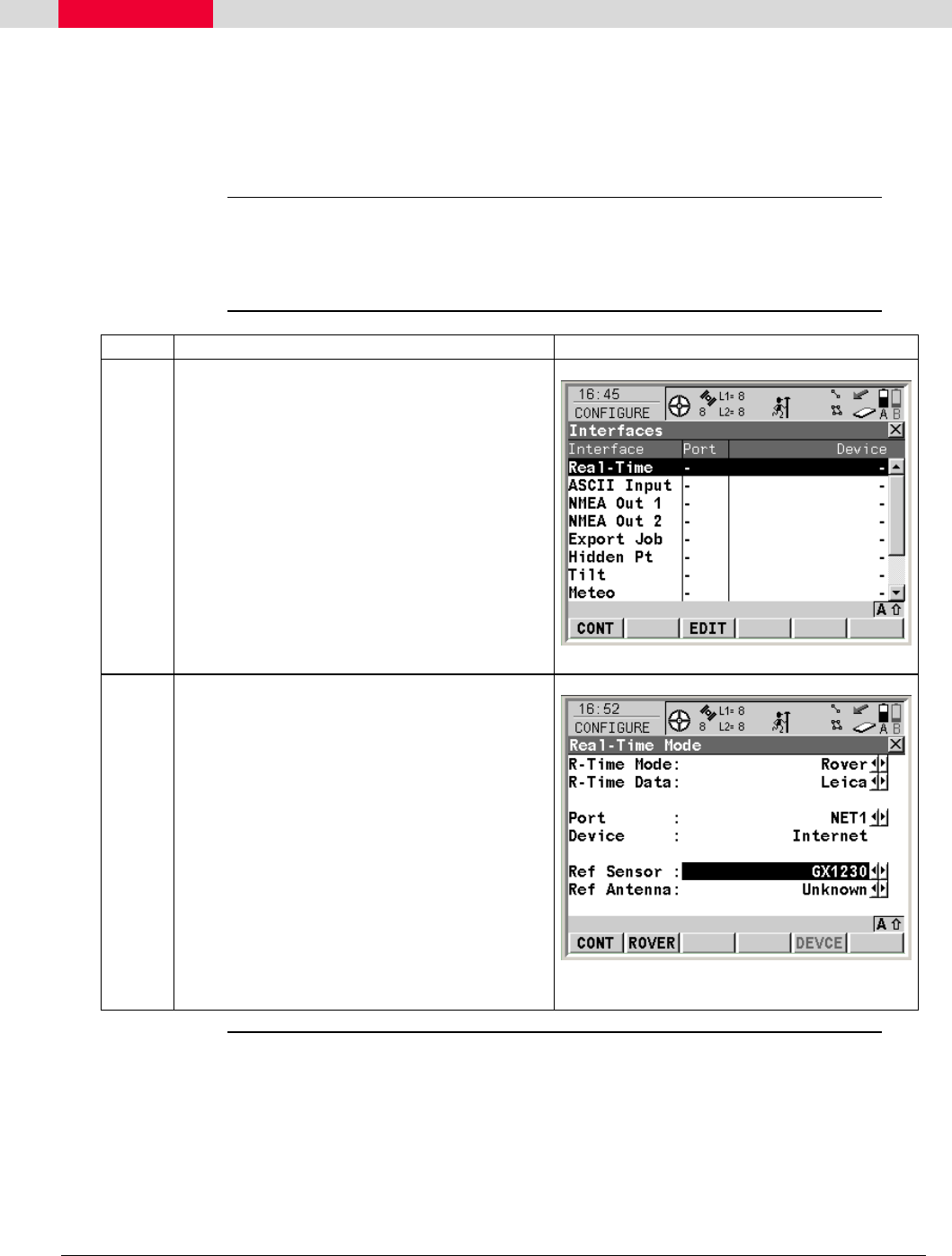
Continuing from the previous section:
• In the Main Menu select 5 Config…
• In the Configuration Menu select
4 Interfaces…
• In the Interfaces Menu highlight Real-
Time and press the F3 (EDIT) button.
This takes you to the Real-Time Mode
screen.
2
In the Real-Time Mode screen:
• In the R-Time Mode field, select
Rover.
• In the Port field, select NET1-3 to
define the port through which you
wish to connect.
• Press the F1 (CONT) button to save
your settings.
This returns you to the Interfaces screen.
Continued on next page
Vue de la page 11
1 2 ... 7 8 9 10 11 12 13 14 15 16 17 18

Commentaires sur ces manuels

Pas de commentaire