Multitech MT5634HD16 Informations techniques Page 14

  • Télécharger
  • Ajouter à mon manuel
  • Imprimer
  • Page
    / 32
  • Table des matières
  • DEPANNAGE
  • MARQUE LIVRES
  • Noté. / 5. Basé sur avis des utilisateurs
Vue de la page 13
Frequently Asked Questions (FAQs)
14
RASExpress FAQs
Q19. RASExpress shows some lines stuck in the “INITIALIZING” or
“PPP CLIENT” state without users attached to them. How can
I fix this?
A19. First, update your modems to the latest release of firmware (see Q14). Then,
upgrade the RASExpress software on your RASCard to the latest release of
software (see Q17). Both the modem firmware and the RASExpress software
have modified timings to prevent lines from locking into the “INITIALIZING” or
“PPP CLIENT” states.
If RASExpress continues to have lines that are locking into these states, then
change the initialization string to “ATZ”. To change the string, telnet to the
RASCard; choose “Configuration of server”; then, choose “Modem Setup.” Type
M; then, select the modem profile that RASExpress is using to initialize the
modems. The initialization strings will appear next.
Q20. I have more than one segment (more than one RASCard) in my
CommPlete server; how can I use RASExpress Local Security
without having to repeatedly enter usernames and passwords
into each RASExpress Server?
A20. After creating the new users on one of the RASExpress segments, ftp into that
RASExpress Server and download the SERVER.CFG file to your local PC. Then
ftp the SERVER.CFG file up to all of the other RASExpress Servers individually.
You do not need to delete the SERVER.CFG from the target RASExpress Server
before uploading the updated file. The new SERVER.CFG will overwrite the old
one.
When ftp'ing into a RASExpress Server, log in with supervisor as the username
and your RASExpress supervisor password.
Vue de la page 13
1 2 ... 9 10 11 12 13 14 15 16 17 18 19 ... 31 32

Commentaires sur ces manuels

Pas de commentaire

Samsung DM-V599 manuály

Uživatelské manuály a uživatelské příručky pro Základní desky Samsung DM-V599.
Poskytujeme 1 manuály pdf Samsung DM-V599 ke stažení zdarma podle typů dokumentů: Uživatelský manuál
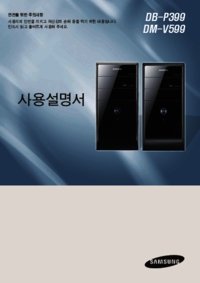

Samsung DM-V599 Uživatelský manuál (90 strany)


Značka: Samsung | Kategorie: Motherboards | Velikost: 9.66 MB |

Tabulka s obsahem

안전을 위한 주의사항

1

반드시 읽고 올바르게 사용해 주세요

1

1 장 . 컴퓨터 시작

3

2 장 . 컴퓨터 사용

3

3 장 . 시스템 설정

3

4 장 . 업그레이드

3

5 장 . 부록

3

고성능 멀티미디어 PC

6

사용설명서를 읽기 전에

7

OS 지원 관련 주의사항

8

장치 드라이버 설치안내

8

메모리 용량 표시 안내

9

업그레이드 관련

14

보관 및 이동 관련

15

데이터 유실에 관한 주의 사항 (HDD 관리)

19

사용시 올바른 자세

20

음량 조절 (헤드폰 및 스피커)

22

사용시간 (휴식시간)

22

각 부분의 명칭

24

키보드와 마우스 연결

26

그래픽스 카드가 장착된 경우 (선택 사양)

27

내장형 그래픽스 포트만 있는 경우

28

스피커 및 랜(LAN) 케이블 연결

29

전원 케이블 연결

29

컴퓨터 켜기 / 끄기

30

Windows XP 운영체제인 경우

31

소리 조절 키

33

(선택 사양)

34

클릭(누름) 기능

36

더블 클릭(두번 누름) 기능

36

오른쪽 버튼 클릭(누름) 기능

36

드래그(끌기) 기능

36

CD 넣고 빼기

37

트레이에 걸쳐 놓으세요

38

CD 트레이를 밀어 넣으세요

38

멀티 카드 슬롯

39

메모리카드 사용하기

41

메모리카드 제거하기

42

메모리카드 포맷하기

42

외부 디스플레이 장치 연결

43

연결 케이블의 종류 알아보기

44

그래픽스 카드가 장착된 경우 ( 선택 사양 )

45

HDMI TV 설정하기 ( 선택 사양 )

47

▶ Intel 그래픽스 카드인 경우

48

▶ AMD 그래픽스 카드인 경우

48

HDMI TV의 소리를 설정하려면

49

두 대의 디스플레이 장치

50

설정하기 (Dual View)

50

듀얼 뷰로 볼 때 윈도우 창을

51

듀얼 뷰를 해제하려면

51

사운드 포트 위치 알아보기

52

아날로그 스피커 연결하기

53

볼륨 조절 프로그램에서

54

유선 네트워크 56

55

BIOS 셋업 59

55

부팅 비밀번호 설정 62

55

부팅 순위 변경 66

55

CPU 기능 (선택 사양) 67

55

네트워크 연결하기

56

BIOS 셋업으로 들어가기

59

BIOS 셋업 화면

60

셋업에서 사용하는 키

61

부팅 비밀번호 설정

62

사용자 비밀번호 설정하기

63

부팅 시 비밀번호 설정하기

63

하드 디스크 비밀번호

63

설정하기 (선택 사양)

63

비밀번호 해제하기

64

비밀번호를 잊어버렸을 때

65

부팅 순위 변경

66

CPU 속도 조절 기능

67

(Intel Speed Step) 사용하기

67

데이터 페이지 보호 기능

68

CPU 가속화 기능

68

CPU 가상화 기술(VT)

68

컴퓨터 덮개 열기

70

컴퓨터 내부 구성

72

메인보드의 구성

73

[HD6770]

74

[GTX550TI]

74

하드디스크(HDD) 추가

77

(기존 하드디스크 연결)

79

(추가한 하드디스크 연결)

79

CD 드라이브(ODD) 추가

80

CPU 고정바

83

CMOS 배터리 교체

84

제품 규격 86

85

메모리 업그레이드 권장사항 87

85

폐 전자제품 처리 안내 89

85

BP399/MV599

86

메모리 업그레이드 권장사항

87

전자파 적합 등록 안내

88

(Class B)

88

친환경상품 소비자정보

88

폐 전자제품 처리 안내

89

1588-3366

90


Další produkty a příručky pro Základní desky Samsung

Modely Typ Dokumentu
DM700A3C Uživatelský manuál Samsung DM700A3C 사용자 설명서, 117 stránky
DM-X15 Uživatelský manuál Samsung DM-X15 사용자 설명서 [da] [sv] , 164 stránky
DM500S3A Uživatelský manuál Samsung DM500S3A 사용자 설명서, 126 stránky
MZ30 Uživatelský manuál Samsung MZ30 사용자 설명서 [sk] , 113 stránky
SPH-P9200 Uživatelský manuál Samsung SPH-P9200 사용자 설명서, 108 stránky
MP30 Uživatelský manuál Samsung MP30 사용자 설명서, 120 stránky
NP300V4ZH Uživatelský manuál   Samsung NP300V4ZI Používateľská príručka, 80 stránky
NT910S3GI Uživatelský manuál Samsung NP905S3GI 사용자 설명서, 129 stránky
DM-Z66 Uživatelský manuál Samsung DM-Z66 사용자 설명서, 110 stránky
DM300S1A Uživatelský manuál Samsung DM301S1A 사용자 설명서, 112 stránky
SQ25 Uživatelský manuál   Samsung SQ25 User manual [da] , 134 stránky
DM-Z60 Uživatelský manuál Samsung DM-Z60 사용자 설명서, 180 stránky
SQ20 Uživatelský manuál   Samsung SQ20 User manual, 131 stránky
NT500R5QJ Uživatelský manuál Samsung NT500R5QJ User Manual (Windows 7), 92 stránky
DM500T4Z Uživatelský manuál Samsung DM500T4Z 사용자 설명서 [en] , 80 stránky
DB400T2Z Uživatelský manuál Samsung DB400T2Z 사용자 설명서, 85 stránky
ZDZ25 Uživatelský manuál Samsung ZDZ25 사용자 설명서, 86 stránky